Internet Explorer 6
To
remove a stored password or stored form data in Internet Explorer 6,
follow the instructions below:
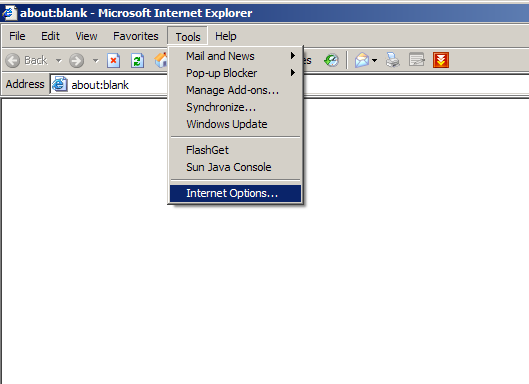
1. From the Tools menu, select Internet Options... .
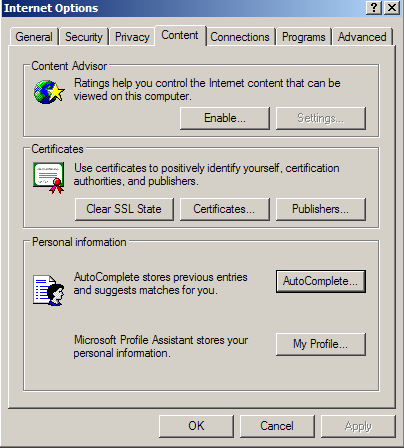
2. Click the Content tab, and then click the AutoComplete... button.
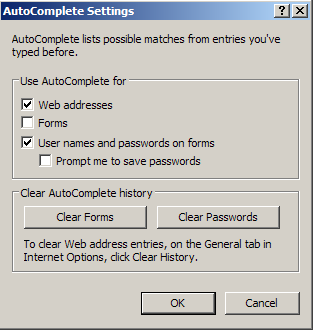
3. To remove stored passwords, click Clear Passwords.
To clear stored data that you have entered into forms, click Clear
Forms.
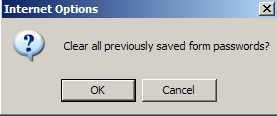
4. Click OK.